








Card Alerts and Controls
- Easily de-active and re-activate your card
- Set rules for how, when, and where your card can be used
- Manage all the details through online banking or our mobile app
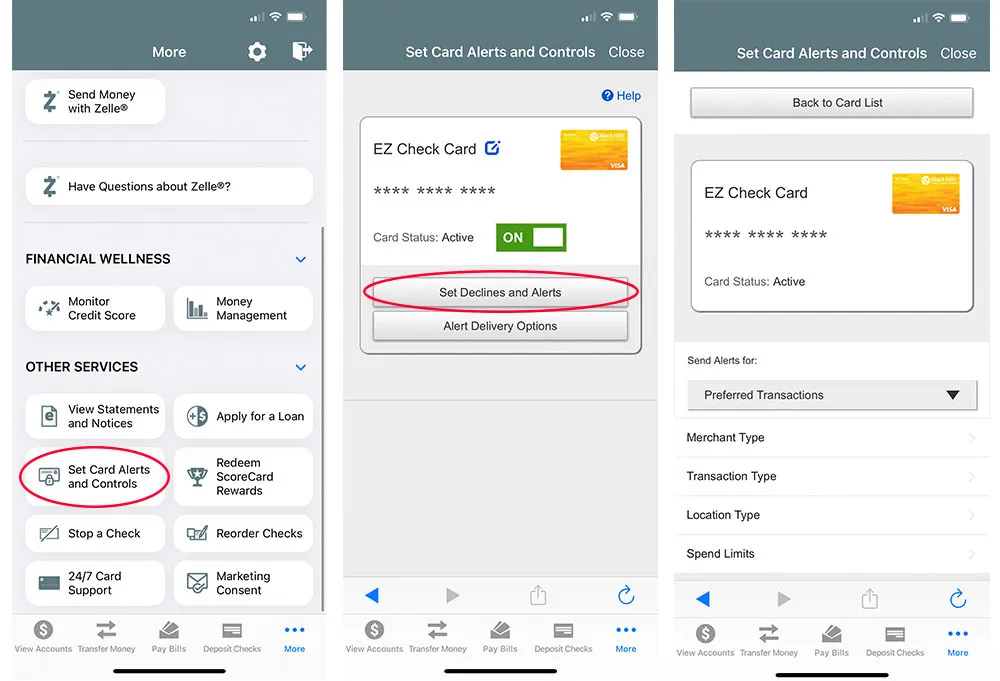
- Sign in to our mobile app, select the 'Cards' menu, and click 'Debit & Credit Card Controls'.
- Select a card to view all of the preferences and alert options.
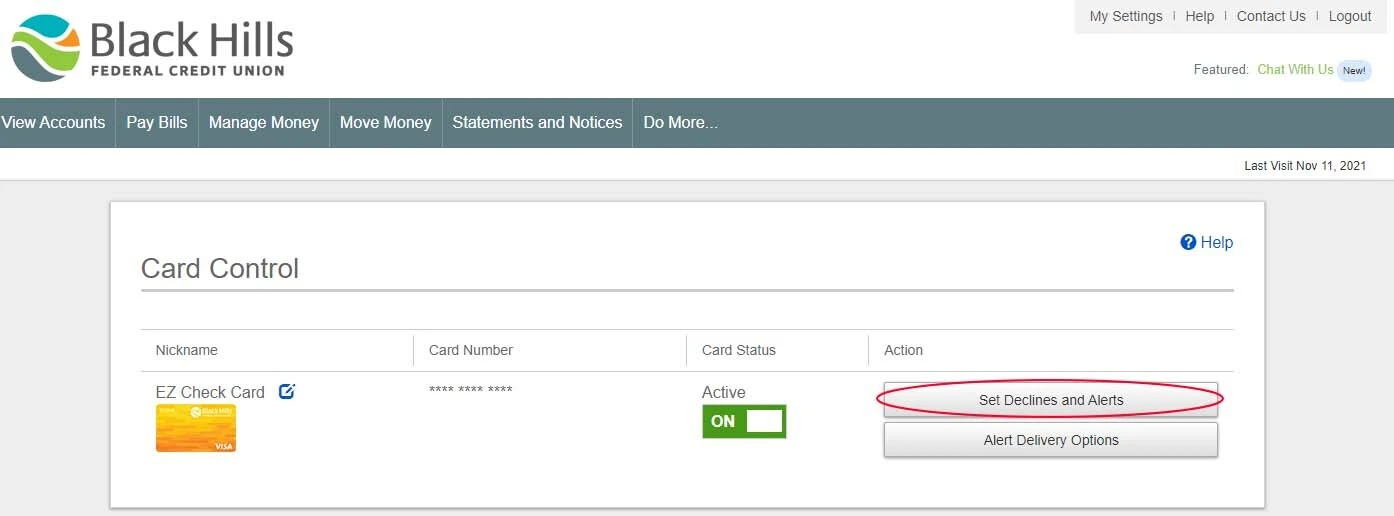
- Sign in to our online banking, select the 'Cards' menu, and click 'Card Controls and Alerts'.
- Select ‘Set Alerts’ for a card to view all of the preferences and ‘Alert Delivery Options’ for alert options.
More to Explore
Resources to help you make smart money moves.

6 Questions to Ask Yourself If You Suspect Fraud
Find out how to step back and ask key questions to navigate a potentially fraudulent situation.
Learn more
7 Types of Fraud You Need to Know Today
Learn how to spot common types of fraud so you can avoid them.
Learn more
Free Credit Score Monitoring
Keep an eye on your credit score to make sure you can qualify for the best loan rate.
Learn more

Mobile Banking App
Skip the Line. Bank on Your Time.
Deposit checks, transfer funds, and keep tabs on your accounts without ever stepping into a branch.
Pages within: