








Budgets & Spending
- A simple, secure, and free way to manage your money
- Get a complete picture of your finances
- Drill down on the details to know where your money goes
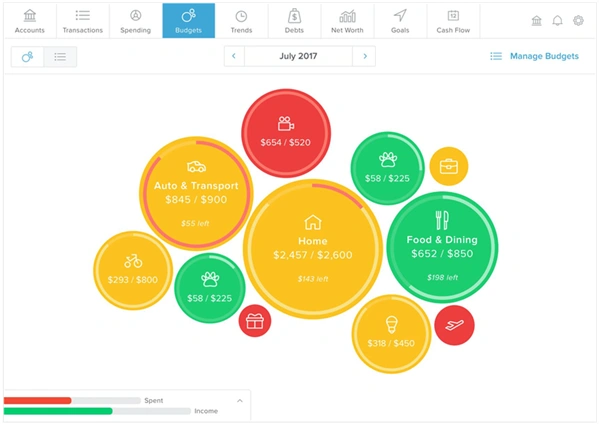
The Budget section allows you to either auto-generate a budget based on your spending history or start from scratch. Once you start using it, the bubble colors indicate whether you're on track, nearing your budget limit, or over budget in each category.
Pro tip: The lines at the bottom left show your spending verses your income. When you set your budget, be sure the total you plan to spend isn’t more than your income.
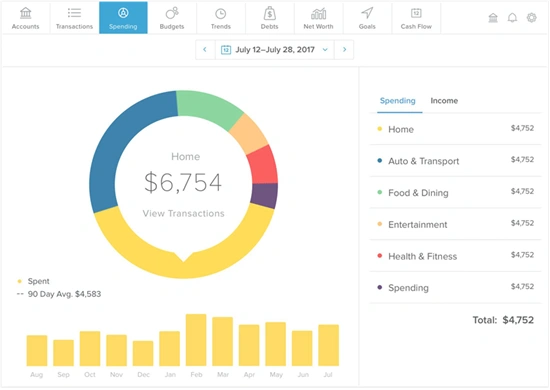
The Spending tab breaks down your spending by category, so you can better understand your spending habits and track where your money goes. Click on a section of the wheel to see what you spend in each category. Click on the dollar figure in the middle and view recent transactions or transactions in that specific category. You can also change the date range at the top to see how your spending compares to the past.
The Transactions tab shows a list of recent transaction from all your linked accounts, allowing you to see all your spending in one spot. Click on a transaction to see more details or to edit the category.
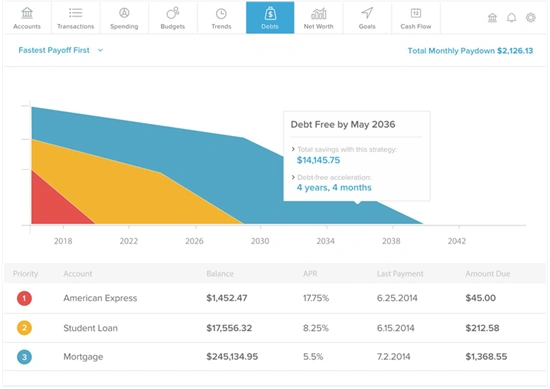
The Debts tab is a powerful tool that allows you to see all of your debts in one place. You can see how long it will take to get out of debt by making the minimum payment, and use the tools to determine how much faster you can get out of debt if you pay more than the minimum.
Let the Goals tab help you visualize and plan your long-term financial goals, such as saving for a home or vacation. With this tool, you can categorize your goals as savings, debt payoff, and retirement and view a timeline based on your plan.
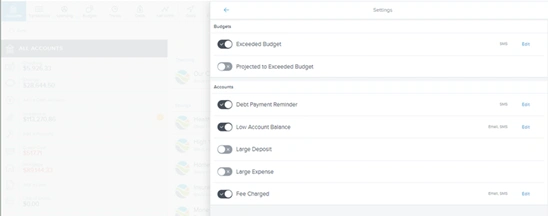
Notifications can help you keep track of important financial information, like when a payment is due, when your account balance is low, and much more. After verifying your identity, you can make adjustments to your notification settings by clicking the gear symbol.